![6 Key Benefits of Point Cloud to BIM Modeling [Guide]](https://www.teslaoutsourcingservices.com/blog/wp-content/uploads/2018/07/1.webp "6 Key Benefits of Point Cloud to BIM Modeling [Guide]")
Point cloud to BIM modeling has changed how construction firms approach renovation, retrofit, and as-built documentation. By converting laser-scanned 3D data into intelligent Revit models, this workflow gives architects, engineers, and contractors a far more accurate picture of existing buildings than traditional surveying methods ever could.
This guide explains what point cloud to BIM modeling is, how the workflow operates, and the six main benefits it delivers to construction projects.
This article explains the benefits of the technology. If you need the work done, see our point cloud to BIM services page.
Point Cloud to BIM ServicesWhat is Point Cloud to BIM Modeling?

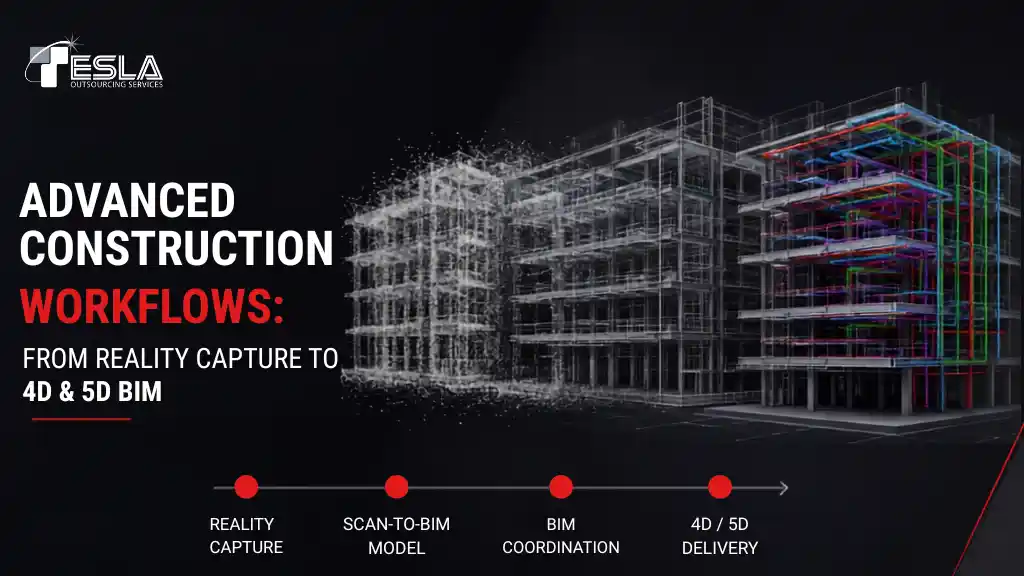
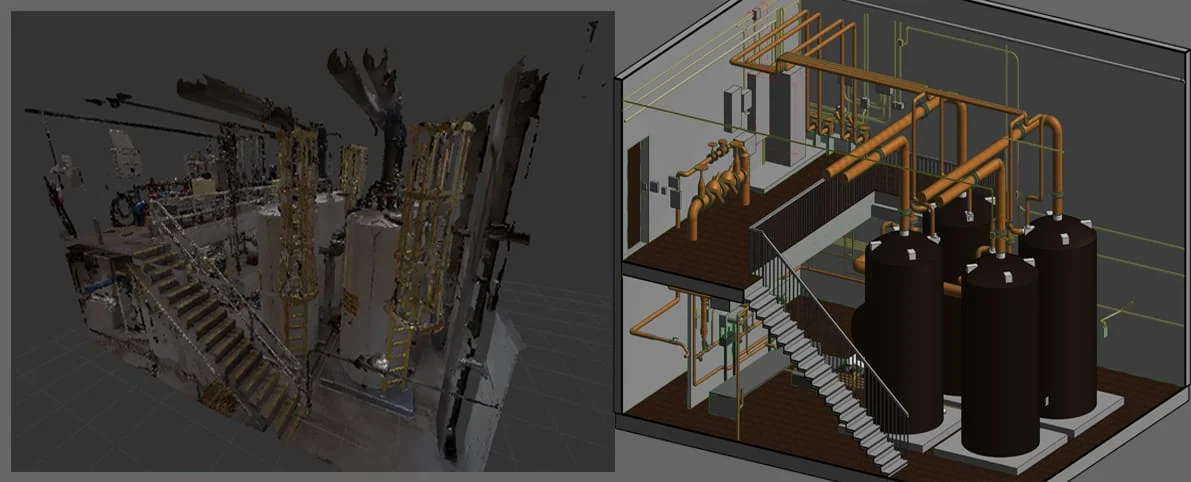
Point cloud to BIM modeling is the process of converting laser scan data, captured as millions of individual coordinate points known as a “point cloud”, into a structured, intelligent 3D Building Information Model. The point cloud is captured on-site using LiDAR scanners, processed in software like Autodesk ReCap, and then modeled in Revit to produce an accurate as-built representation of the existing structure.
The end output is a data-rich BIM model containing architectural, structural, and MEP components. This model can then support renovation, retrofit, restoration, and facility management decisions with a level of precision that manual surveys simply cannot match.
How Does The Point Cloud to BIM Workflow Work?
The workflow generally moves through five stages:
- Site capture: LiDAR scanners record the existing structure as a dense cloud of 3D points.
- Registration: Multiple scans taken from different angles are aligned and merged into a single unified point cloud.
- Format conversion: The unified point cloud is saved in formats like .RCP, .RCS, .E57, or .PTS for use in modeling software.
- Modeling: Revit modelers use the point cloud as a reference to build the 3D BIM model at the required Level of Detail (LOD 100–500), covering architectural, structural, and MEP elements.
- Quality check: The completed model is validated against the original point cloud to confirm dimensional accuracy.
6 Benefits of Point Cloud to BIM Modeling
I. Significant time savings on site surveying
Laser scanning saves substantial time when surveying an existing building or a site marked for renovation. A single scanner operator can capture data that would otherwise require three or four technicians taking manual measurements. Total fieldwork is typically reduced by around 40%. Components and their 3D geometry are captured by laser beams in a single pass and later converted into scan images, dramatically cutting the time spent on-site.
II. Higher accuracy than traditional surveying
High-precision data collection is one of the strongest advantages of point cloud to BIM modeling. Traditional surveying never guaranteed accurate results, outcomes depended heavily on the technician’s interpretation, judgment, and other variables. Laser scanning improves accuracy and exposes deeply embedded building components such as beams and pipes that manual methods often miss.
III. Detailed building analysis before construction begins
Converting laser scans to BIM models has transformed how teams review and analyze existing buildings. In the past, design issues and deteriorated components often weren’t visible during surveying and were only discovered during actual demolition. With laser scanning, every critical issue and component is visible in the scan and can be fully analyzed before renovation begins.
Building analysis runs in parallel with the modeling process. The BIM model carries all building data, which is then used to evaluate damaged components, plan redesigns, ensure BIM compliance, and forecast cost, schedule, and clash risks during reconstruction. This analytical layer is one of the most valuable parts of the conversion process.
IV. Reliable design assessment for renovation
Design validation has become significantly more effective with point cloud to BIM modeling, which is most commonly used for renovation and refurbishment of existing structures. After the building is scanned and processed into a unified point cloud, the model is built out with full details, levels, and components, beams, columns, slabs, doors, windows, and MEP elements, producing a comprehensive view of the existing design.
Where the building needs upgrades to meet new design codes, parameters, or environmental standards, the as-built model becomes the reference for assessing those changes. Designers can model proposed work as an extension of the original, run interference checks against the existing geometry, and confirm that everything fits, all without depending on manual measurement.
V. Seamless collaboration between project teams
Point cloud to BIM modeling is highly effective at establishing collaboration between design engineers, architects, contractors, and end users. Working from a shared 3D model of the existing structure, every stakeholder can review proposed designs, identify flaws, and agree on required updates. Architectural, structural, and MEP models built from the same scan can be integrated into a coordinated model where potential threats, interferences, and existing-structure design issues surface early, along with solutions to fix them.
VI. Lower overall project costs
Point cloud to BIM modeling reduces both surveying and construction costs. Traditional surveying methods are far more expensive and time-consuming than laser scanning, and for as-built modeling specifically, a scan-based approach has become essential to construction planning and budgeting. Because the virtual construction model surfaces errors and issues earlier in the project lifecycle, downstream rework costs drop significantly. Labor costs fall as well, since one scanner replaces a small team of measurement technicians.
When to Use Point Cloud to BIM
Point cloud to BIM modeling is most valuable when:
- You are renovating, retrofitting, or restoring an existing building and need accurate as-built documentation
- The structure has complex geometry, historical features, or deteriorated components that resist manual measurement
- Multiple disciplines (architectural, structural, MEP) need to coordinate against the same existing-conditions reference
- Future facility management or digital twin use is planned for the building
- The project carries enough cost or timeline risk that early clash detection meaningfully reduces rework
For straightforward new-build projects where no existing structure needs to be captured, traditional design workflows are usually sufficient.
Conclusion
Point cloud to BIM modeling has become a foundational workflow for renovation and retrofit projects, delivering measurable savings in survey time, fewer downstream errors, and a coordinated reference model that every project stakeholder can work from. For construction firms managing complex existing structures, the technology is no longer optional.
If you are evaluating a partner to handle the conversion work itself, our point cloud to BIM services page covers the full process, deliverables, and engagement options.
Point Cloud to BIM SerivcesFrequently Asked Questions (FAQs)
How do you convert point cloud data into a BIM model?
The conversion follows five main steps: site capture using LiDAR scanners; registration and alignment of multiple scans into a unified point cloud; format conversion into a Revit-compatible file like .RCP or .RCS; modeling architectural, structural, and MEP elements in Revit using the point cloud as a reference; and validation of the completed model against the original scan data. Total turnaround typically ranges from 2 to 6 weeks depending on building complexity and required Level of Detail.
What file formats are used in point cloud to BIM modeling?
The most common formats are .RCP and .RCS (Autodesk ReCap project files used directly by Revit), .E57 (an open ASTM standard supported across most BIM software), .PTS (an ASCII point cloud format), and .FLS / .PTX (proprietary formats from Faro and Leica scanners that must be converted to .RCP or .RCS before modeling). The file format reference matrix above shows compatibility and use cases for each.
How accurate is a BIM model created from point cloud data?
Total deliverable accuracy depends on three stacked sources of error: scanner accuracy (typically ±2mm at 25m for terrestrial LiDAR), registration error when aligning multiple scans (±2–4mm), and the modeling tolerance set during BIM creation (usually ±5mm, but tighter is achievable). Most professional point cloud to BIM models target ±5–10mm overall accuracy, though tolerances down to ±2mm are achievable for high-precision projects like fabrication or heritage preservation.
What's the difference between LOD 300 and LOD 350 in point cloud to BIM?
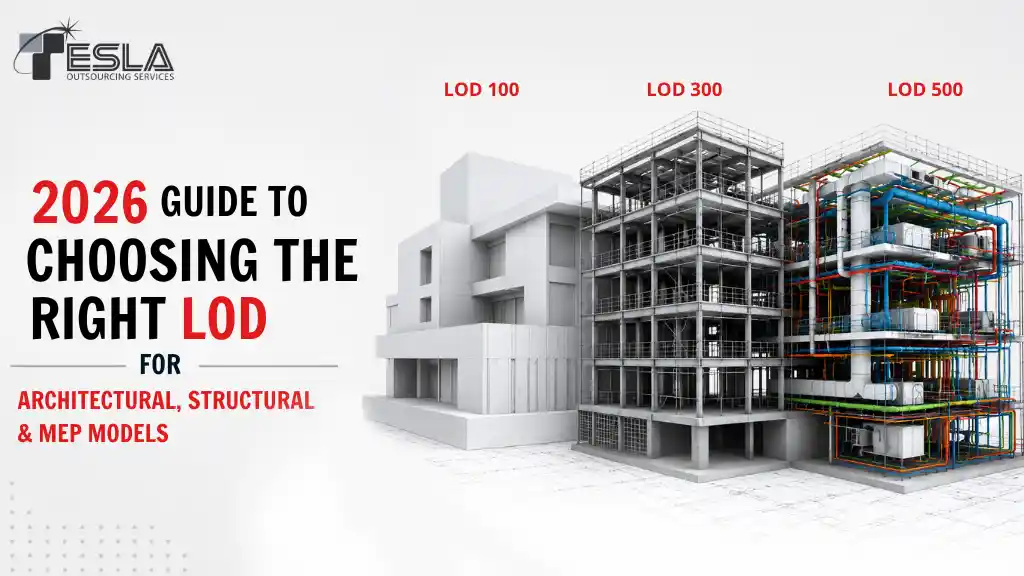
LOD 300 includes elements with specific size, shape, location, and orientation, enough for design development and construction documentation. LOD 350 adds the connections and interfaces between elements, which makes it the practical minimum for clash detection between disciplines (architectural, structural, MEP). For most renovation and retrofit projects, LOD 350 is the right target because that's where coordination conflicts actually surface. The LOD comparison matrix above shows the full range from LOD 100 through LOD 500.
Is point cloud to BIM the same as scan to BIM?
Yes, the terms are used interchangeably in the AEC industry. "Scan to BIM" emphasizes the laser scanning step that captures the data; "point cloud to BIM" emphasizes the data format that comes out of the scan. Both refer to the same workflow: converting laser-scanned 3D data into a structured BIM model.