WHAT IS ARCHICAD?
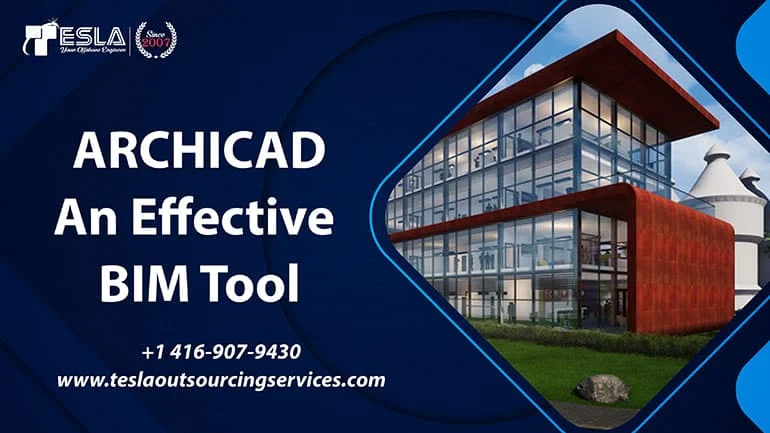
ArchiCAD is a dynamic Building Information Modelling (BIM) tool developed by Graphisoft. BIM is an intelligent 3D digital representation of the physical and functional characteristics of a structure which provides comprehensive view of project geometry, spatial relationships, building systems and other important data. ArchiCAD is a widely used software in the Architecture, Engineering and construction (AEC) industry, providing Architects, designers, builders and their building professionals to create, analyse, collaborate and manage building projects more efficiently and effectively. It was designed by the architects and for the architects in order to deliver efficient Architectural BIM Services. With ArchiCAD, users can create a high-quality virtual building model and then generate imaginative plans, ingenious visuals, precise documentation and other critical information such as materials, cost estimation, scheduling and energy performance. Thus, helping to communicate the design and the construction intent to the clients, contractors and regulatory authorities.
USPs of ARCHICAD as BIM Tool
ArchiCAD is a popular BIM software that offers a range of unique selling propositions to building professionals. Here are some of the USPs of ArchiCAD:
-
Graphical User Interface (GUI):
ArchiCAD offers a user-friendly and intuitive GUI that makes it easy for users to create and orchestrate building models, 2D drawings, and documentation.
-
Parametric Design:
ArchiCAD supports parametric design, which allows users to create complex building geometries and systems by defining and manipulating geometric parameters.
-
Object Libraries:
ArchiCAD offers a vast library of pre-built objects, such as doors, windows, furniture, and other building components, which can be easily customized and used in building models.
-
Building Material Libraries:
ArchiCAD offers an extensive library of building materials, including walls, roofs, floors, and other building elements, which can be easily applied to building models.
-
Interoperability:
ArchiCAD supports interoperability with other BIM software, such as Revit and Navisworks, which allows for seamless exchange of data and collaboration among different stakeholders in the building design and construction process with the help of IFC plug ins.
-
Collaboration:
ArchiCAD offers advanced collaboration tools, such as Teamwork and BIMcloud, which enable multiple team members to work on the same building model simultaneously and in real-time.
-
Energy Analysis:
ArchiCAD supports energy analysis, which allows users to optimize building design for energy efficiency and sustainability.
-
Visualization:
ArchiCAD offers advanced visualization tools for delivering Architectural 3D Rendering Services, which allow users to create photorealistic visualizations of building designs.
-
Integration with other software:
ArchiCAD can integrate with other design and modelling software such as Sketch Up, Rhino, and Revit. This integration provides architects with more design options and flexibility in their workflow.
Approach of Tesla Outsourcing Services towards ARCHICAD Projects
The approach of our firm towards ArchiCAD may vary depending on client’s specific needs and goals. However, generally speaking, we consider the following factors:
-
Assessment of Project Requirements:
We assess the project requirements, such as the scope of the project, complexity and level of detailing. After a brief project meeting with the client and Project Manager, we determine the timeline, budget, and team size. We also determine the relevance of ArchiCAD for the project.
-
Expertise in ArchiCAD:
We also ensure that we have the necessary expertise in the software and its application to deliver quality work. This may involve training our existing team or hiring new professionals with expertise in ArchiCAD. Also upgrading the versions, using plugins or tools can make execution quicker.
-
Collaboration with the Client:
We collaborate closely with the client to ensure that we understand the client’s specific requirements, design standards, and workflows. This helps to ensure that the output is in line with the client’s expectations.
-
Quality Control:
We put in place quality control measures to ensure that the output meets the required quality standards. This may involve design checks, and testing.
Conclusion
ArchiCAD is extremely popular in the European Market and is slowly gaining prominence in other countries too. With the right combination of technology, software and knowledge of application, we can successfully practice working on project with noteworthy productivity and cost effectiveness.