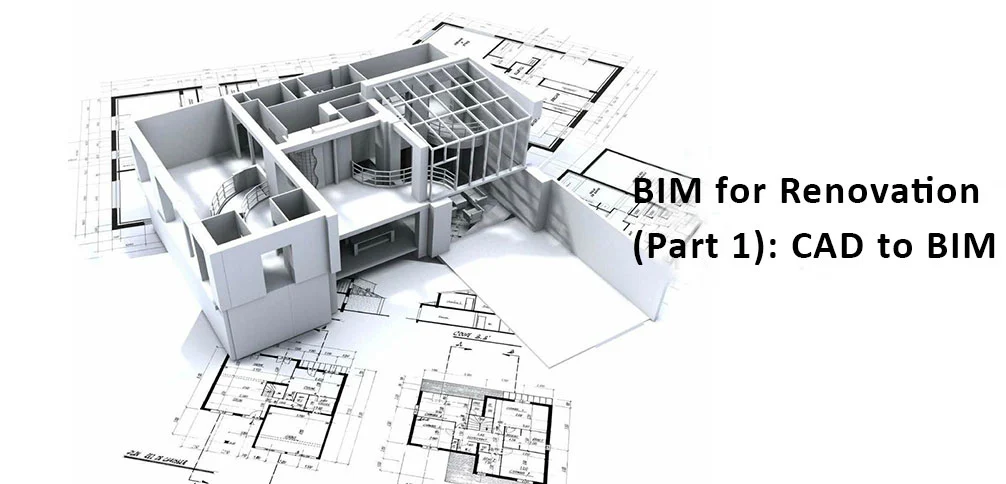
While the benefits of BIM Services for new construction are widely documented, the true test of a digital workflow often lies in renovation and retrofit projects. For Project Managers in the AEC industry, renovation presents a unique set of challenges: uncertain as-built conditions, outdated documentation, and the high risk of unforeseen clashes on-site.
In this two-part series, we explore how Architectural BIM Modeling and MEP BIM Modeling are transforming the renovation landscape. This first installment focuses on leveraging legacy data (CAD/PDF) to create intelligent models that drive efficiency and reduce risk.
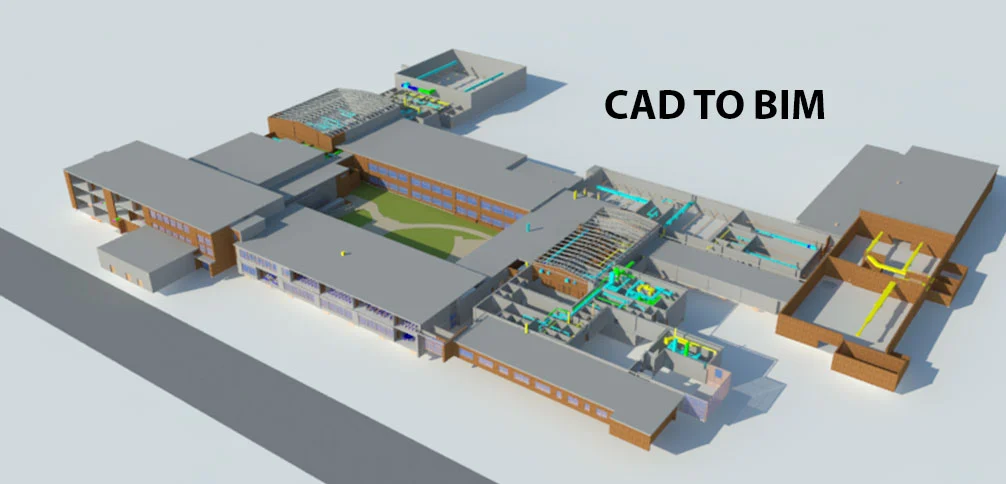
Tesla Outosurcing Services offers expeditios CAD to BIM Services
The Renovation Paradox: Complexity vs. Information
Unlike greenfield projects where you start with a blank canvas, renovation requires a “reverse engineering” mindset. You are constrained by an existing structure that may—or may not—match the original drawings.
The success of a renovation project hinges on one critical factor: the accuracy of your starting point. Generally, there are two primary workflows to capture this “As-Built” condition:
- CAD to BIM: Converting existing 2D plans and paper drawings into 3D models. (Best when reliable records exist).
- Scan to BIM: Using 3D laser scanning to capture reality when drawings are missing or unreliable. (We will cover this in Part 2).
Case Study: Optimizing a 500,000 Sq. Ft. School Retrofit
To understand the practical application of BIM Services in renovation, let’s look at a recent project: a massive 500,000 sq. ft. school facility requiring significant architectural and MEP upgrades to increase classroom capacity.
The Challenge
The client needed to maximize space utilization without altering the core structural integrity. The existing facility had complex mechanical systems, and reliance on 2D drawings alone posed a high risk of interference between new ducts and existing beams.
Why 2D Falls Short
Traditional 2D plans often fail to convey the vertical complexities of a building. Read More – Why 3D Floor Plans are Better than 2D CAD Plans for Builders
Read the full blogThe Solution: CAD to BIM Conversion
Since the client possessed a relatively complete set of 2D CAD drawings, we opted for a CAD to BIM workflow.
- Architectural & Structural BIM Modeling: We first converted the legacy 2D plans into a precise Revit model, establishing the accurate geometry of walls, columns, and beams.
- MEP Integration: With the structural shell defined, our engineers modeled the new MEP BIM systems.
- Visualization: The move from 2D to 3D allowed the architects to visualize the “actual” conditions, identifying space-saving opportunities that were invisible on paper.
The Power of Clash Detection and BIM Coordination
The most critical phase of this renovation was BIM Coordination. In a renovation, “space” is a finite resource.
Once the Architectural, Structural, and MEP models were federated (combined), we utilized Navisworks for Clash Detection. This process highlighted interferences, such as a new HVAC pipe hitting an existing structural column, before construction began.
Resolving these clashes virtually meant the contractor didn’t have to face expensive “field fixes” or change orders during the demolition and install phase.
Boost Your Efficiency
Advanced firms are now using automation to speed up these repetitive tasks. Read Enhancement of BIM Workflow using Dynamo
Read the full blog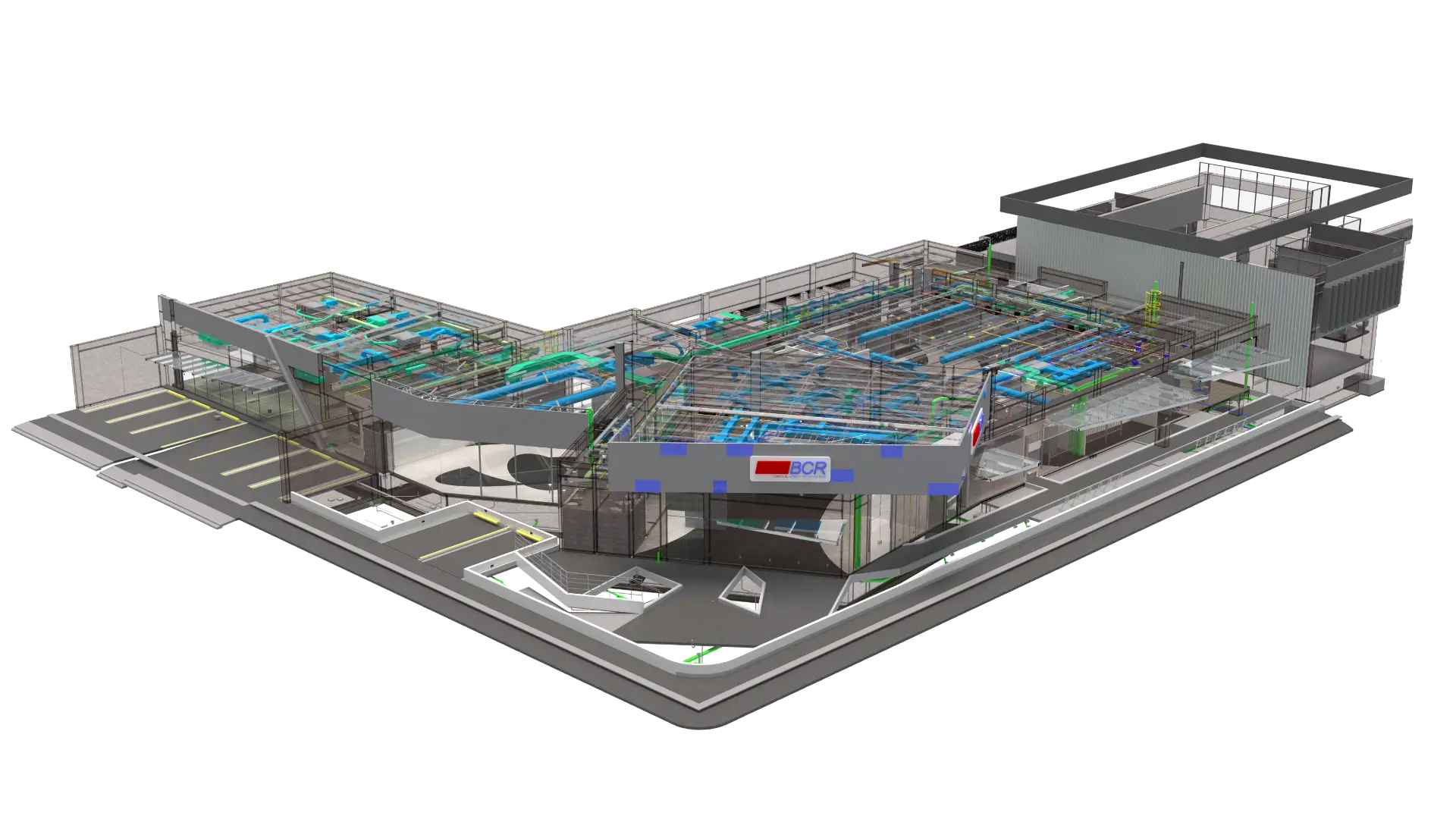
BIM Modeling for Commercial Building – BCR Liberia
Commercial Scale Complexity
Renovating a school is one challenge; renovating a complex commercial high-rise requires an even higher Level of Detail (LOD). See how we handled multi-disciplinary coordination for a major commercial project.
View Case StudyConclusion
Utilizing BIM Services for renovation provides a safety net that traditional methods cannot match. By accurately modeling the existing conditions, Project Managers can visualize constraints, optimize designs, and ensure that the new systems fit perfectly within the old shell.
However, what happens when you don’t have accurate drawings? Or when the building is too complex to measure by hand?
FAQ: BIM for Renovation
Q2: When should I use CAD-to-BIM vs. Scan-to-BIM?
- Use CAD-to-BIM if you have high-confidence, recent 2D drawings and the building hasn’t undergone undocumented changes.
- Use Scan-to-BIM if drawings are lost, outdated, or if the building is historic/complex with non-standard geometry.
Q3: Can BIM help if we only have paper blueprints?
Yes. We can digitize paper blueprints, PDFs, or scanned images into fully parametric 3D Revit models, effectively modernizing your legacy data for current use.
In the next installment, we dive into Scan to BIM, discussing how laser scanning technology creates a digital twin of reality for the most challenging renovation projects.
Read Part 2

