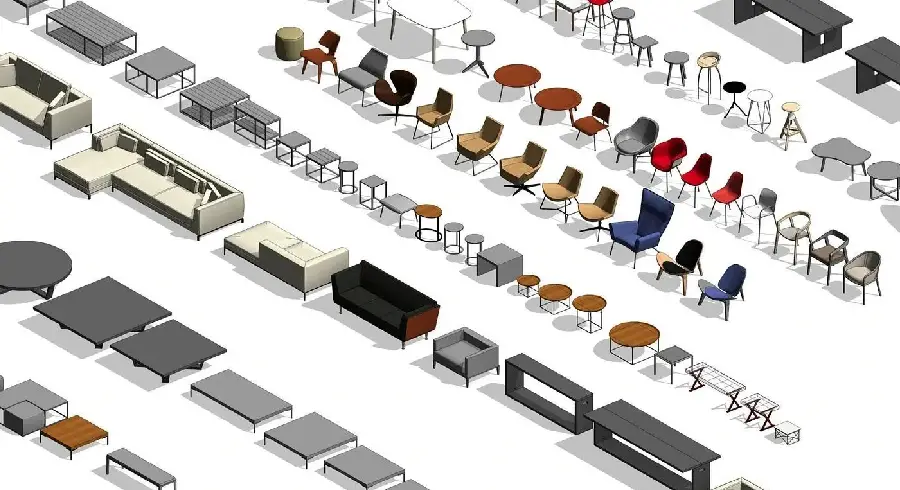
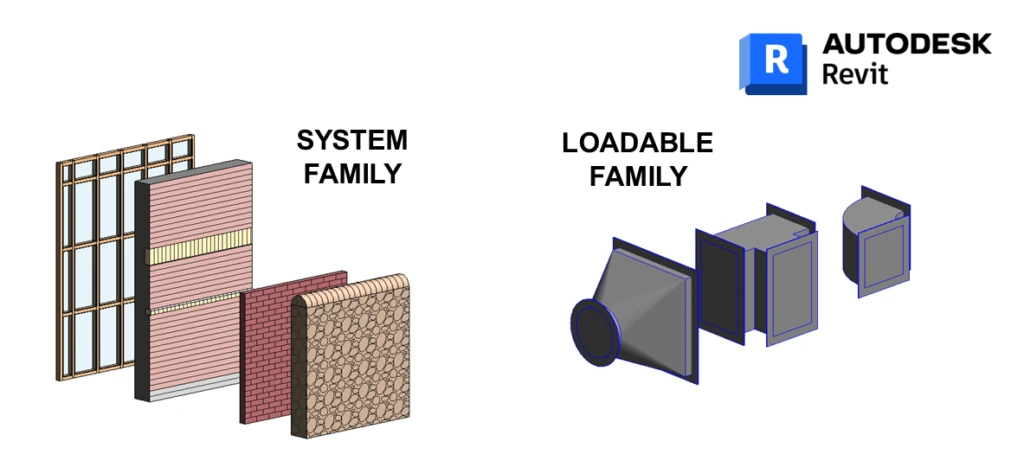
In the growing and evolving landscape of the US AEC (Architecture, Engineering, and Construction) market, Building Information Modeling (BIM) – taking the example of Autodesk Revit – stands as the cornerstone of design, coordination, and documentation. At the heart of the powerful Revit model is REVIT family content – components that are customizable, such as doors, windows, lighting fixtures, HVAC units, and much more. Particularly within the architectural domain, scaling the creation and the management of this content is critical to enhance model richness – improving interdisciplinary coordination, and boosting the overall project efficiency across US MEP and AEC firms.
‘The Business Value of BIM for Architecture in North America’, a 2021 SmartMarket Report, states that over 90% of large US architecture firms report using BIM on the majority of their projects, with Revit being the dominant platform.
This article will explore how to effectively scale and standardize this Revit family creation, within the architecture discipline particularly – alongside taking into consideration the cross-disciplinary implications on HVAC, electrical, and structural modeling. We will walk through the best practices for the same – practical guidelines, and the strategic approaches to develop intelligent, lean, and consistent Revit content that enhances the model richness as well as facilitates smoother project delivery.
The Challenge: Scaling Quality and Consistency
To create custom Revit families is a time-consuming job – and scaling this process across multiple projects, teams, and disciplines, without sacrificing the quality or consistency, can create a lot of challenges like:
- Repetition and redundancy: sometimes, teams may create similar components for different projects, leading to repetition of work.
- Inconsistent standards: when there are no enforced guidelines as such, Revit families can behave differently – becoming a hinderance in coordination.
- Performance degradation: some families have excessive detail or complex nesting – these are bound to slow down the entire architectural model instead of helping.
- Limited flexibility: some of the Revit families are not parametric enough – and they would require constant editing.
- Knowledge silos: the expertise of creating the Revit families actually lies in the individuals, not actually in the organization.
- MEP or structural integration: the architectural elements must host and interface with MEP and structural components accurately and with ease.
To overcome these hurdles, we must create a strategic approach that is focused on standardization, efficiency, and intelligence.
Best Practices for Scalable Revit Family Creation – Architectural Focus
Architectural families are what defines the spaces and the surfaces which MEP systems must navigate – and the structural systems must support. Scaling the creation of these families effectively would involve these key practices:
Establishing Rigorous Content Standards & Templates
- A detailed BIM execution plan (BEP): you must define the specific requirements for the family creation upfront. You can mandate the naming conventions, parameter usage of the family, category assignment, and the sub-categorization for graphics control.
- Robust family templates (.rft): you can develop and enforce the use of a discipline-specific template files. These pre-loaded templates would effectively include:
- Standard reference planes – defining the insertion points and constraints.
- Pre-defined parameters – with common dimensions, materials, type catalogs, and so on.
- Correctly allocated sub-categories for consistent object styles.
- Pre-loaded annotations wherever appropriate – such as symbolic lines, text tags, and such.
- Detailed level (LOD) specification: you must clearly define the complex geometry and the requirements of information for the Revit families at their different project phases (LOD values). You can thus avoid over-modeling since the beginning.
Mastering Parametric Power & Flexibility
Parametric families are definitely powerful, but that amount of flexibility can lead to some unintended behavior in the model due to complexities – hence, you must focus on:
- Strategic parameterization: you must focus the parameters on key dimensions and the properties that change between different types – such as width, height, depth, and material. You can avoid parameterizing each possible dimension unless it is truly necessary.
- Type catalogs (.txt): these are totally essential for scaling! Instead of creating dozens of separate family files, you can create one parametric family that is driven by a type catalogue. This is a text file that includes a list of all the type variations of the family and their parametric values – it drastically reduces file management and improves consistency.
- Constraints & formulas: you can use reference planes, dimensions, and equality or alignment constraints intelligently – employ formulas to automate some relationships, for example, ‘Height = Weight/2’ for an aspect ratio. Just make sure that all the contents are robust, and will not be broken easily.
- Conditional logic (IF statements): you can hide or show geometry or controls on a family based on its parametric values – for example, show transom only if ‘Has-Transom = Yes.’
Revit Parametric family: Process of creating a window family in Revit Architecture.
Read NowOptimizing Geometry for Performance & Clarity
Optimizing Geometry for Performance & Clarity
To ensure scalability, you must undertake the following processes:
- Minimalist modeling: you can use the simplest geometry possible to convey the object at the required LOD. Extrusions or sweeps are more efficient than complex blends or sweeps – generally. You can avoid the unnecessary voids and the intricate details in most cases – geometries which are visible only at a very close zoom level.
- Efficient nesting: nesting families are powerful, but they can be very performance heavy – such as a door panel nested inside a door frame. You must nest families only when it is necessary for flexibility and the use of that element. This way, you can avoid deep nesting hierarchies – the solution is to use shared nesting families if they need to be scheduled independently.
- Symbolic vs Model lines: for plan or sectional representation, use symbolic lines that are drawn on reference planes. Make sure to reserve the model lines only for actual 3D geometry. This means that without adding a 3D overload, there is correct representation at different views and scales.
- Material application: you must assign materials within the family thoughtfully – using parameters for materials allows easy swapping per project or per type.
Integrating Intelligence for Coordination & Data
Before starting straight with the modeling, you must define standardized practices, such as:
- Shared parameters: this is the cornerstone of scalable data! You can define a firm-wide shared parametric text file – and you can use these parameters for the data that needs to be consistent, schedulable, and reportable across all projects and families. This process thus ensures that MEP and structural teams can reliably access and filter the architectural data.
- Hosting and connectivity points: highlighting the practices for the architectural elements that interface with MEP or structural directly:
- Structural: make sure that the beams, columns, bearing walls, and foundations have clear analytical properties and connection points for structural analysis software linking – define these where needed.
- MEP: you must attempt to model architecture elements that host MEP components – ceilings, walls, floors – with the correct hosting behavior. You can also consider adding connectors (electrical or data) – within the architectural families like furniture or equipment pads where the MEP connections are predictable. This significantly aids in MEP routing and clash detection.
- Clearance zones: you must embed clearance zones within families for the critical equipment – such as above ceiling lights – which also facilitates clash detection during MEP coordination.
Fostering Knowledge Sharing & Training
- Regular training: you must conduct focused sessions on the best practices for family creation – along with the use of templates, shared parameters, and standards.
- Documentation: you must maintain clear and accessible documentation – shared drives, wikis, and such – which covers standards, workflows, and troubleshooting guides.
- Peer review: you can implement a process where the complex families are reviewed before they enter the main library.
The Ripple Effect: Enhancing MEP & Structural Coordination
A MEP Layout
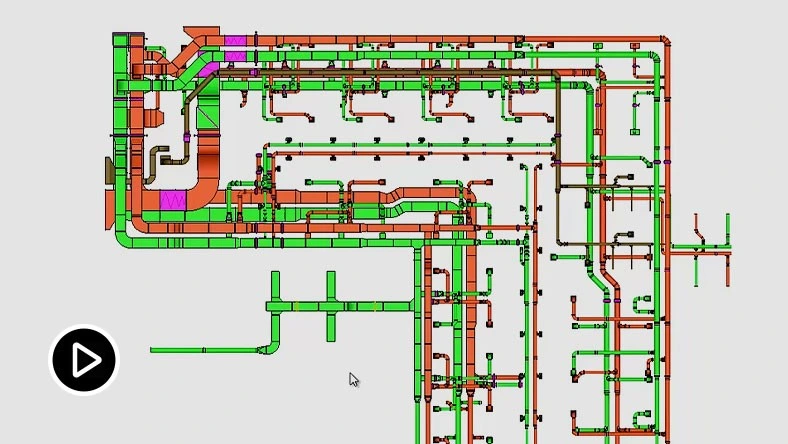
Architecture leads the visual and spatial layout of the model – but the MEP content must be fully integrated to ensure constructability and coordination. When you invest in scalable, rich architectural content, it directly benefits the Structural and MEP disciplines:
- Accurate hosting: when modeling is done well with clear hosting behavior – walls, floors, and ceilings – it allows MEP designers to route systems more efficiently and reliably.
- Reduced clashes: when clearance zones are embedded and geometry is accurate, it minimizes the clashes detected later in the process.
- Reliable scheduling: when parameters are consistently shared, MEP and Structural schedules correctly reference architectural elements – like room data, fire ratings, etc.
- Foundation for prefabrication: when models are accurate and data-rich – built on solid families – it enables confident off-site fabrication for MEP trades and structural elements.
- Improved model performance: efficient architectural families can prevent the model from bogging down, which effectively allows the modeling and coordination of MEP and structural systems.
According to Autodesk and Dodge Data & Analytics ‘Harnessing the Data Advantage in Construction’ of 2020, clash detection and resolution during construction can cost an average of $5,000 per clash, if identified too late.
Building and Managing a Central Family Library
Component families will get attention, but you should not neglect scaling the intelligent use of Revit’s core architectural system families like:
- Walls: you can create comprehensive wall type libraries with their integrated structure, finishes, insulation, and other key parameters like fire rating, STC, and R-value.
- Floors / roofs: you can approach these similarly to walls – building robust libraries with layers, slopes, and parameters, alongside integrating structural deck properties.
- Ceilings: you can create the types that will accurately represent grid systems, tiles, and integrate hosting for MEP elements, acoustic properties – and if needed, fire ratings.
- Stairs & ramps: here, you can leverage its complexity – by developing standard configurations and the best practices for consistent representation and scheduling.
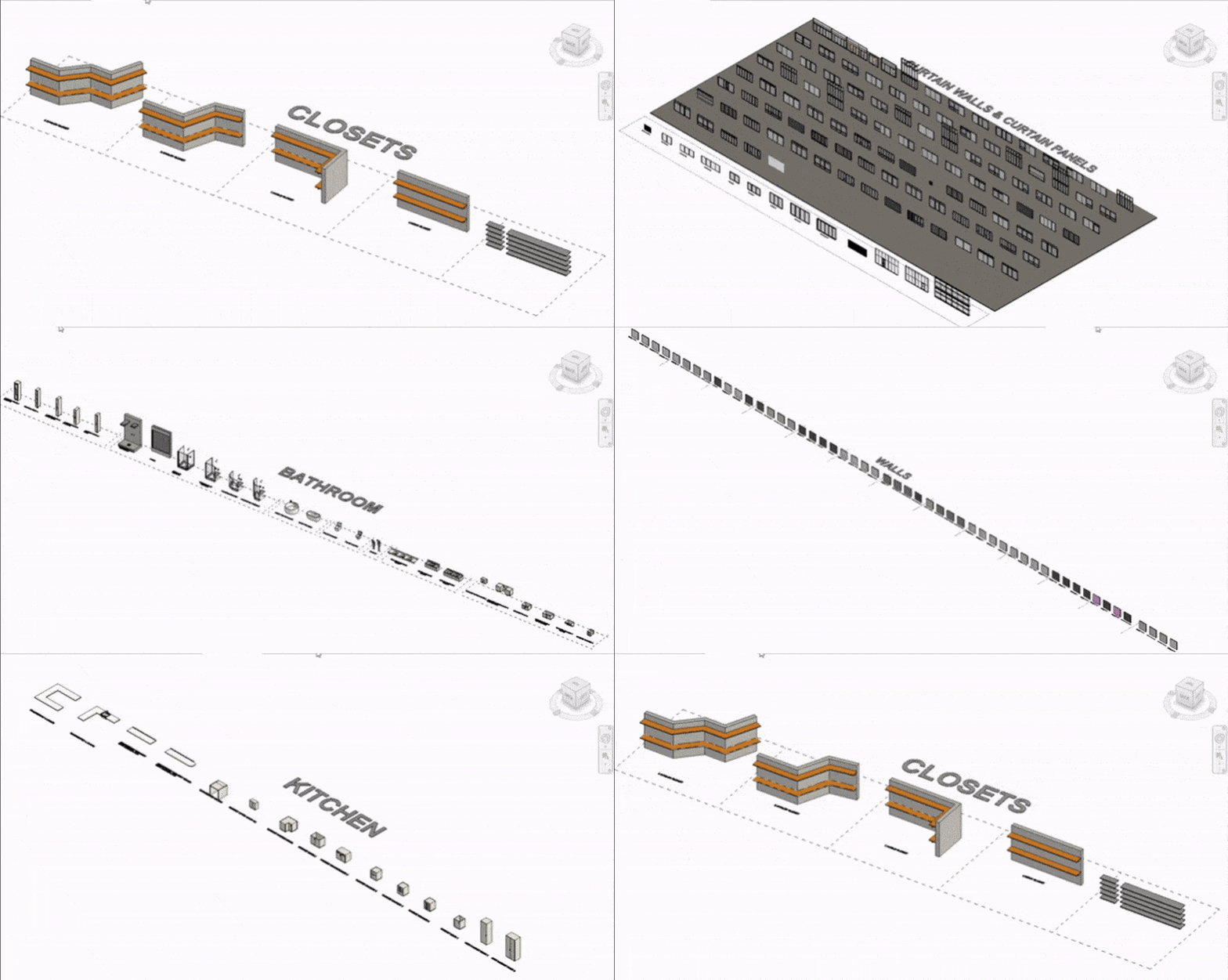
Some of the best practices for managing a centralized, curated library – a key part of scaling Revit family content – include:
- Folder structuring by category and discipline
- Version marking and approval workflows
- QA and QC protocols
- Periodic library audits
Many firms do also implement the Content Management Systems (CMS) for BIM content tools – such as UNIFI, Avail, or Kinship – to manage, tag, and distribute content across teams.
Leveraging Technology and Process
Central Library REVIT Family
To truly scale Revit family creation, you must consider the following procedures:
- Centralized library and management: you can implement a cloud-based or a network-based content library (like Autodesk Docs) -along with dedicated PDM systems or robust network folders – with strict version controls and permissions. Just make sure that this library is easily accessible and searchable.
- Content creation tools: you can utilize the plugins to speed up creation, management, auditing, and the loading of families.
- Automation: additionally, you can also explore Dynamo or Revit API scripts to update families in batches – like adding a new shared parameter, updating materials across a library, and so on.
- Dedicated content team / champion: you can also hire an individual, or establish a small team, who is responsible for developing the standards, creating complex families, auditing existing content, training staff, and overall managing the library. This will ensure quality control, alongside preventing fragmentation.
Using technology and processes in this form saves hundreds of hours of work in large project portfolios – especially while maintaining libraries across multiple versions of Revit.
Conclusion: Building a Scalable Future
Scaling the Revit Family content creation is not just an IT task – it is a necessity for United States AEC firms that are seeking efficiency, accuracy, and importantly, competitive advantage. With an emphasis on architectural content – which includes establishing rigorous standards, harnessing the parametric flexibility to optimize geometry, integrating intelligence through shared parameters, and also leveraging technology and processes – firms will be able to create a robust foundation.
This Revit Family content is the cornerstone of successful architectural and MEP workflows – being scalable as well as consistent. For US AEC firms, following the best practices as discussed not only ensures project efficiency, but also maintains compliance with the national & international BIM standards. At the end, scaling Revit family content creation is not about modeling faster – it is about modeling smarter and with design collaboration – keeping quality and longevity in mind.
Frequently Asked Questions (FAQs)
Should we model every architectural detail in 3D for rich content?
That is absolutely not needed. You can follow the Level of Development (LOD) guidelines rigorously. You can use symbolic lines for 2D representations – like door swings and ceiling grids. After this, model only the geometry that is essential for coordination, scheduling, and visualization at the current phase of the project. Overly detailed 3D families unnecessarily slow down models and complicate the MEP and structural coordination. You must balance the richness of the model with its performance.
How can architectural families better support MEP coordination?
You can focus on:
- Hosting: ensure that the walls, floors, and ceilings can correctly host MEP components.
- Clearance zones: you can embed some invisible geometry that represents the required access or the maintenance space around the hosted items – like above lights, behind access panels, and so on.
- Connectors, wherever appropriate: to guide MEP routing, you can add electrical or data connectors to architectural families like desks, equipment pads, or signage.
- Shared parameters: include key data – fire rating, acoustics, etc. – that MEP or Structural teams need for system design and clash detection.
When is it worth creating a custom family vs. using a family or OOTB content?
You must create a custom family when:
- The component is unique to a design of your own creation, or your firm’s standard – this can be custom casework, signature lighting fixtures, and so one.
- You need some specific parametric data or control which is not possible with the existing system families – such as complex adaptive components, schedulable equipment which have maintenance data.
- When coordination demands it – for example, embedding clearance zones, or hosting MEP elements accurately.
You must use or modify the OOTB or the system families for generic or non-unique elements – like basic walls, simple doors, and such – to save time.
What is the single biggest efficiency gain in scaling content creation?
Using Type Catalogs (.txt files) with parametric families is the single biggest efficiency gain in scaling content creation. Instead of managing and sorting hundreds of separate family files – such as Door_24x80.rfa, Door_30x80.rfa, and so on – you can create one parametric door family which is controlled by a type catalog listing all size and material combinations for doors. This reduces file management issues, ensures consistency, and simplifies updates when needed.
Ready to build scalable, standards-compliant Revit Family content that cuts costs and accelerates your project schedules?
Contact us to discuss your custom content needs!
Expert Consultation

