Coordination review in Revit is critical for ensuring that multidisciplinary teams work seamlessly on shared projects. This tool prevents costly errors during construction by identifying and resolving conflicts between linked models. Below, we break down the steps, best practices, and strategic insights for effective coordination review in Revit.
Why Coordination Review Matters
In complex projects involving architects, structural engineers, and MEP specialists, coordination ensures that all systems align spatially and functionally. Revit’s coordination review tool streamlines this process by:
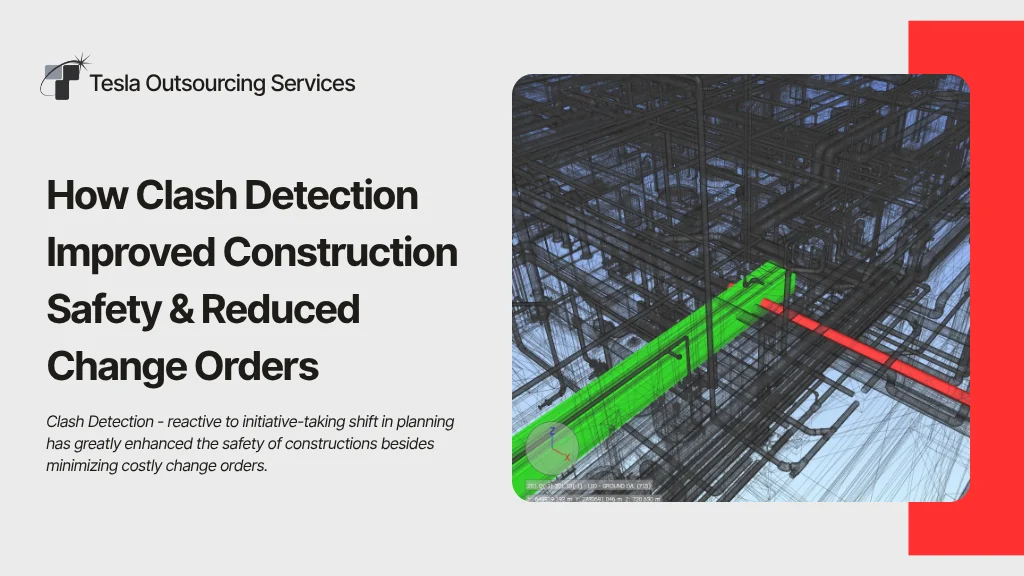
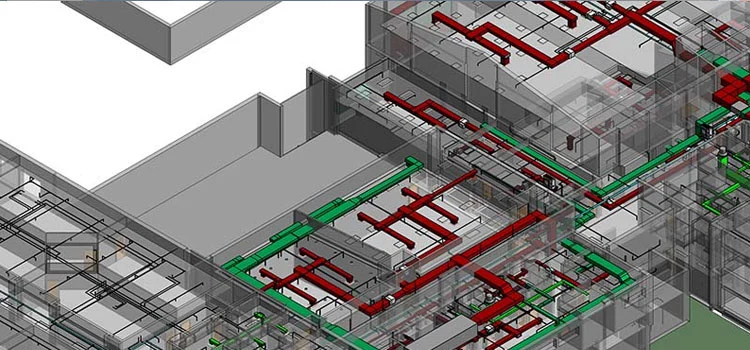
- Detecting clashes between linked models (e.g., ducts conflicting with structural beams).
- Tracking changes made by team members to shared elements.
- Providing actionable solutions to resolve discrepancies.
Projects risk delays, budget overruns, and safety hazards without proper coordination.
Did You Know?
Effective Revit coordination can reduce project rework by up to 50%, saving both time and construction costs.
Step 1: Preparing for Coordination Review
1.1 Link Relevant Models
Before starting, ensure all discipline-specific models (architectural, structural, MEP) are linked to your host project. To import models, use the “Link Revit” tool under the Insert tab.
1.2 Set Up Monitoring
Use the Copy/Monitor tool to establish relationships between critical elements (e.g., grids, columns, levels). This allows Revit to flag changes in linked models that affect your design.
Step 2: Initiating Coordination Review
2.1 Access the Coordination Panel
- Navigate to the Collaborate tab.
- Click Coordination Review in the Coordinate panel.
- Select Link and choose the linked model to review.
2.2 Analyze the Coordination Review Dialog
Revit displays a list of changes in the linked model, categorized as:
- Modified Elements: Altered dimensions, locations, or properties.
- Deleted Elements: Removed components affecting your design.
- New Elements: Added items that may clash with existing systems.
Step 3: Resolving Conflicts
For each flagged issue, choose one of the following actions:
3.1 Postpone/Do Nothing
If the issue requires further analysis, it can be temporarily deferred. The status will be updated to “Postponed” for future review.
3.2 Reject Changes
If the changed link model is incorrect, select Reject to retain your original design. Communicate this decision to the responsible team.
3.3 Accept Difference
If the change is valid, approve it. Revit will update your model to reflect the modification of the linked file.
3.4 Modify Host Model
You can manually adjust your design to accommodate the linked model’s changes. For example, you can reroute a duct to avoid a newly added beam.
Step 4: Documentation and Communication
- Export Reports: Generate clash reports via the Export button to share with stakeholders.
- Update Models: Ensure all teams synchronize their models after resolving conflicts.
- Hold Coordination Meetings: Discuss unresolved issues and assign responsibilities.

REVIT Coordination Process
Best Practices for Efficient Coordination
- Regular Reviews: Conduct coordination reviews weekly to catch issues early.
- Clear Naming Conventions: Avoid confusion and use consistent names for linked models (e.g., “Arch_2024-09”).
- Leverage BIM 360: Cloud collaboration platforms enable real-time updates and centralized conflict management.
Did You Know?
Projects using a structured coordination review process in Revit experience far fewer on-site clashes, leading to smoother construction and higher client satisfaction.
Common Challenges and Solutions
- Challenge 1: Overwhelming Number of Clashes
- Solution: Filter clashes by discipline (e.g., show only MEP vs. structural conflicts).
- Challenge 2: Unresponsive Teams
- Solution: Assign deadlines for resolving issues and escalate delays to project managers.
- Challenge 3: Software Limitations
- Solution: Use third-party tools like Navisworks for advanced clash detection, then return to Revit for resolution.
Conclusion
Mastering Revit coordination ensures that multidisciplinary projects proceed smoothly, minimizing rework and enhancing collaboration. This structured approach allows teams to tackle conflicts proactively and deliver high-quality builds.